Automated server backups to S3-compatible storage
A practical backup setup for Linux servers using restic or rclone against a Wow Magic bucket - scoped credentials, scheduling, retention with lifecycle rules, and why Object Lock belongs in the plan.
By Wow Magic team · · 4 min read

Object storage is a good backup target: it is cheap per terabyte, durable by design, reachable from anywhere and, with the right settings, resistant to the attacker who has just gained root on the machine you are backing up. This article describes a setup we would be comfortable running ourselves, using tools that already speak S3.
Design goals
A backup that cannot be restored is a log file. Before choosing tools, write down what you need:
- Recovery point: how much data can you afford to lose? This sets the schedule (hourly, nightly).
- Retention: how far back do you need to go? Thirty days is a common minimum; regulated data often needs longer.
- Blast radius: if the server is compromised, can the attacker also delete the backups? If the answer is yes, the backups are not a defence against ransomware.
- Restore test: when did you last restore something and check it?
The rest of the setup falls out of these answers.
Step 1: a bucket with versioning (and probably Object Lock)
Create a dedicated bucket per environment, in the region your data is allowed to live in (see choosing a region). Enable versioning so an overwrite or delete never destroys the previous copy; the versioning article explains how delete markers make this recoverable.
If backups must survive a compromised server, also enable Object Lock and set a default retention on the bucket. A locked version cannot be deleted or overwritten by anyone, including you, until its retention date passes. Pick a retention at least as long as the time it would take you to notice a breach; two to four weeks is a reasonable floor. Object Lock requires versioning and, once enabled, versioning cannot be suspended, which is exactly the property you want here.
Step 2: a scoped access key
Do not back up with your account's general-purpose key. On the Access Keys page create a key scoped to the backup bucket only and, if the server has a fixed address, add it to the key's IP allowlist. A leaked key then grants access to one bucket from one place. Rotate it periodically; the authentication docs describe rotation without downtime. Store the key in a root-only file (chmod 600) or your secret manager, never in a script committed to git.
Step 3: pick a tool
Two good options, depending on what you are backing up:
restic for file-system backups. It deduplicates, encrypts client-side before anything leaves the machine, and keeps snapshots you can browse and restore individually. It talks to any S3 endpoint:
export AWS_ACCESS_KEY_ID=YOUR_SYNAPSE_ACCESS_KEY
export AWS_SECRET_ACCESS_KEY=YOUR_SYNAPSE_SECRET_KEY
export RESTIC_REPOSITORY=s3:https://YOUR_SYNAPSE_HOST/s3/backups-prod
export RESTIC_PASSWORD_FILE=/etc/restic/password

restic init                       # once
restic backup /etc /var/lib/app /home --exclude-caches
restic forget --keep-daily 14 --keep-weekly 8 --keep-monthly 12 --prune
Wow Magic uses path-style addressing, which restic handles with the s3:https://host/path/bucket repository form shown above; no extra flag is needed. Restic's own documentation covers the S3-compatible configuration in detail.
rclone for mirroring large directory trees or database dumps you have already produced. It is simpler, does no encryption on its own (add crypt remote if you need it), and its sync and copy commands are easy to reason about:
pg_dump -Fc mydb > /var/backups/mydb-$(date +%F).dump
rclone copy /var/backups synapse:backups-prod/db --s3-chunk-size 64M --log-file /var/log/rclone-backup.log
The rclone remote configuration for Wow Magic is on the rclone docs page, and our migration guide has notes on tuning parallelism.
Step 4: schedule it
Use a systemd timer (or cron) rather than a long-running loop, so failures are visible in systemctl list-timers and the journal:
# /etc/systemd/system/backup.service
[Unit]
Description=Nightly backup to Wow Magic
[Service]
Type=oneshot
EnvironmentFile=/etc/restic/env
ExecStart=/usr/local/bin/backup.sh

# /etc/systemd/system/backup.timer
[Unit]
Description=Run backup nightly
[Timer]
OnCalendar=*-*-* 02:30:00
RandomizedDelaySec=15m
Persistent=true
[Install]
WantedBy=timers.target
Have backup.sh exit non-zero on any failure and wire the unit to whatever alerts you already have. A backup job that silently stops running is the most common failure mode we see.
Step 5: retention, twice
Retention lives in two places and they should agree:
- In the tool.
restic forget(or your own rotation of dump files) decides which snapshots still exist logically. - In the bucket. A lifecycle rule that expires noncurrent versions after, say, 30 days bounds how long deleted or overwritten data lingers in storage, which keeps the bill predictable. If Object Lock is on, versions inside their retention period are skipped by lifecycle and removed once the lock lapses.
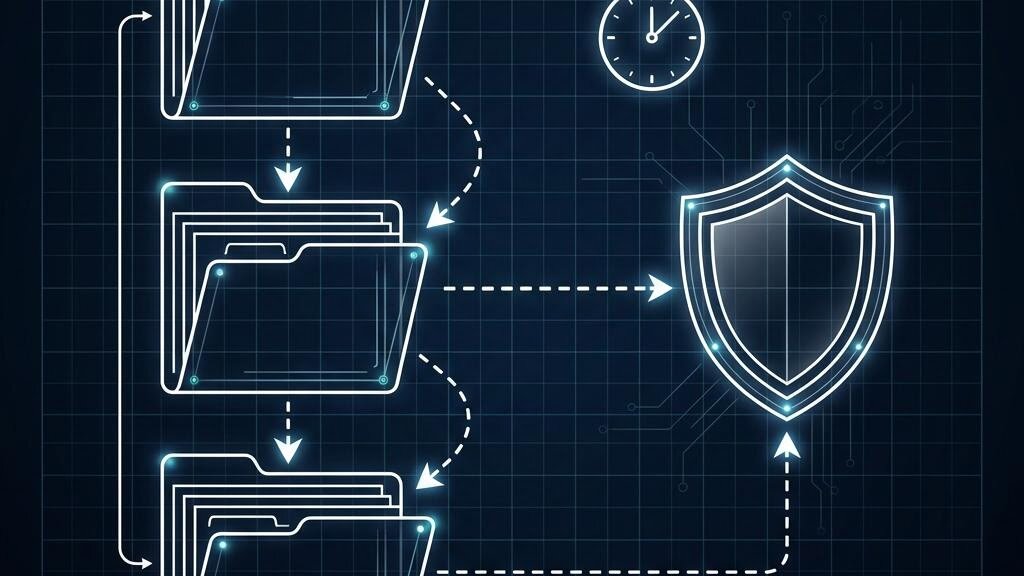
The interplay is deliberate: the tool decides what you want to keep; versioning and lock decide what an attacker or a bug can remove; lifecycle cleans up after both.
Step 6: test a restore
Once a month, restore a file (or a whole snapshot) to a scratch directory and check it:
restic restore latest --target /tmp/restore-test --include /etc/nginx
diff -r /etc/nginx /tmp/restore-test/etc/nginx && echo OK
Downloads for restore tests are covered by the fair-use egress allowance, which is sized as a multiple of what you store (pricing page), so there is no cost reason to skip this.
Cost sketch
Backup sets are written often and read rarely, which is the workload object storage pricing suits best. Your monthly cost is the stored capacity (including retained versions) times the per-TB price of your plan; the pricing estimator shows this live, along with the egress allowance. There are no per-request charges, so the many small objects restic produces do not add a line item.
Set it up once, alert on failure, and restore something every month. That is most of what "we have backups" should mean.